
12 Real Benefits of Cloud Accounting Software for Indian SMEs (2026 Guide)
Updated: Jul 29

Most Indian SMEs don't switch to cloud accounting because of a feature list — they switch because something broke first. A GST deadline missed while the accountant was on leave. A stock count that didn't match the ledger after three people updated it separately. A new branch that took two weeks to get its books talking to head office.
That's the real case for cloud accounting software: not that it's "modern," but that it removes the specific points where manual and desktop-based systems fail Indian SMEs. Here's what actually changes when you move, and what to check before you do.
Why Accounting Software Matters More in 2026 Than It Did Two Years Ago
Two regulatory shifts have made cloud-based, always-updated accounting software less of a nice-to-have:
GST e-invoicing thresholds are based on lifetime turnover, not current-year turnover. If your business crossed ₹5 crore in any year since FY 2017–18, e-invoicing is mandatory now, and the 30-day reporting window leaves no room for a desktop tool that needs manual updates. (See our full breakdown: GST E-Invoicing Rules 2026.)
The new Labour Codes require basic pay to be at least 50% of CTC, which changes PF, ESI, and gratuity calculations for almost every payroll structure built before 2026. Software that isn't patched centrally puts you at compliance risk. (Details here: New Labour Codes 2026: Payroll Compliance Guide.)
Cloud accounting software pushes these compliance updates to every user automatically. Desktop software depends on someone remembering to install a patch.
12 Benefits That Actually Move the Needle
You stop losing time to manual data entry
Bank feed integration pulls transactions directly from your account and auto-categorizes them. For a business processing 200+ transactions a month, this alone can save several hours a week that would otherwise go to typing debits and credits from a PDF statement.
GST compliance happens in the background
Tax rates update automatically, GST-compliant invoices generate by default, and returns can often be filed directly from the software. You're not manually cross-checking rate changes against a government notification.
Multiple people can work on the books at once
A shop manager can log a sale, an accountant can reconcile it, and the owner can check cash flow — simultaneously, from three different locations, without emailing spreadsheets back and forth.
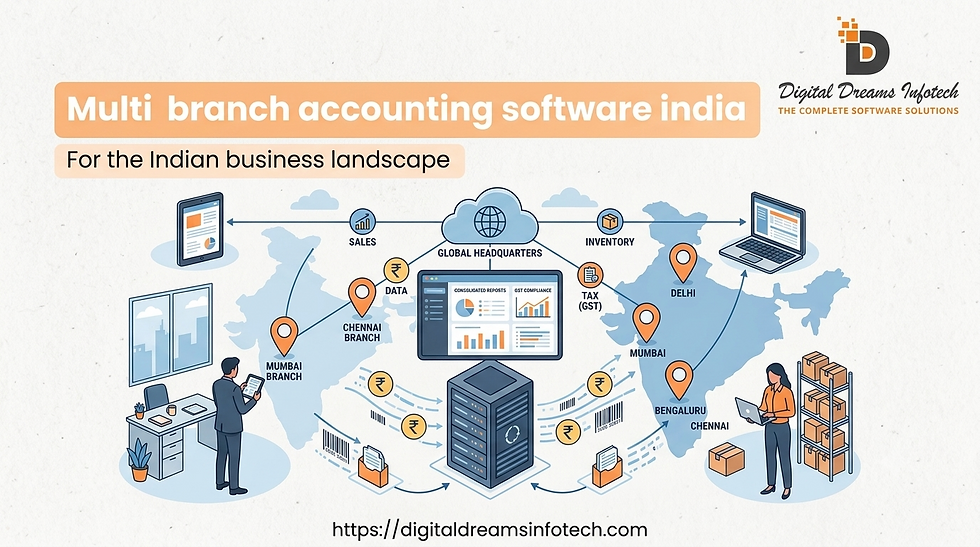
Multi-branch and multi-location sync
For retailers or manufacturers with more than one site, cloud accounting consolidates books across branches into one view, instead of reconciling separate ledgers manually at month-end.
Real-time financial visibility
Profit and loss, cash flow, and receivables update as transactions happen — not after a monthly close. This matters most when you need to make a fast call on a bulk purchase or a client's payment terms.
Lower infrastructure cost
No dedicated server, no local backups, no IT contractor on retainer for the accounting system specifically. The cost shifts from capital expenditure to a predictable subscription.
Automatic backups and disaster recovery
A laptop theft or hardware failure doesn't mean lost books. Data lives on the vendor's servers with redundancy, not on one machine in the back office.
Built-in bank reconciliation
Bank transactions sync automatically, so reconciliation is a review step rather than a manual matching exercise every month.
Role-based access control
You can give a junior accountant entry access without giving them visibility into payroll or bank balances — something far harder to enforce with a shared desktop file.
Inventory and accounting in one system
For textile, diamond, and manufacturing businesses especially, tying stock movement to the ledger in real time avoids the gap between "what we think we have" and "what we actually have."
Scales without a re-platform
As transaction volume grows, cloud software absorbs it. You're not planning a migration to new software at 3x your current size — you're adjusting your plan tier.
Mobile access for owners who aren't at a desk
Checking today's sales, approving a payment, or pulling last month's P&L from a phone between site visits is a genuine day-to-day difference, not a marketing bullet point.
Cloud vs. Desktop: The Short Version
Desktop tools like Tally still have a place — particularly for businesses with slow or unreliable internet, or teams already deeply trained on one system. The honest trade-off:
Cloud (e.g. PlusERP) | Desktop (e.g. Tally) | |
Access | Any device, any location | Single machine or LAN |
Compliance updates | Automatic | Manual install required |
Multi-branch sync | Built in | Requires add-ons/manual consolidation |
Upfront cost | Low (subscription) | Higher (license + infrastructure) |
Works offline | Limited | Yes |
For a deeper, product-by-product comparison including Zoho Books, see our dedicated guide: PlusERP vs Tally vs Zoho Books: Which Accounting Software Should Your Indian Business Choose in 2026?
How to Choose: A Practical Checklist
Before you commit to a platform, check it against these seven points:
GST compliance depth — does it handle the current price-based rate structure, not just a flat percentage?
Industry fit — does it support your specific inventory logic (e.g., carat/clarity tracking for diamonds, batch tracking for textiles)?
Multi-user permissions — can you restrict payroll and bank data by role?
Integration — does it connect to your bank, and to inventory/payroll if those are separate systems today?
Support responsiveness — what's the actual SLA for support tickets, not just the marketing claim?
Data export — can you get your data out in a usable format if you switch later?
Pricing transparency — is there a published price, or only "contact sales"?
Who This Actually Helps
A textile unit in Surat tracking raw material costs against finished-goods stock, where a lag between the two ledgers has historically meant overstating available cash.
A diamond trading business that needs precise per-stone valuation records alongside standard bookkeeping — something generic accounting software handles poorly without inventory customization.
A retail chain with 3+ outlets that currently reconciles each location's books separately and only gets a consolidated picture once a month.
A small manufacturer whose GST filing has historically been done in a rush at month-end because rate updates weren't caught in time.
The Bottom Line
Cloud accounting software isn't a upgrade for its own sake — it closes specific gaps that cost Indian SMEs time, compliance risk, and visibility: manual entry, delayed compliance updates, disconnected branches, and books that only tell you the truth once a month. If any of those match a problem you're currently working around manually, that's the signal to move, not the calendar year.
See how PlusERP handles GST compliance, multi-branch sync, and industry-specific inventory tracking for textile, diamond, retail, and manufacturing businesses — get a free demo.


Comments